Device Update
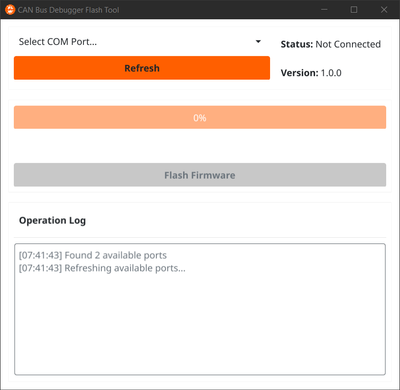
The CAN Bus Debugger tool may be updated using the CAN Bus Debugger Update Tool. Each version of the tool flashes a specific version of device firmware. Current firmware release details are available in the Firmware Releases section.
Perform an Update
To update the CAN Bus Debugger tool:
- Power off the tool.
- Connect a micro USB cable to the update port on the tool and to your PC.
- Open the
CAN Bus Debugger Update Tool. - Select the COM port for the tool (use Device Manager if required).
- Press the 'Flash Firmware' button and wait for the process to complete.
- Disconnect the tool from your PC.
- Power on the tool, navigate to the Settings screen, and verify the firmware version.
Firmware Releases
Current users of the CAN Bus Debugger tool will be notified when a new major firmware release is made available. You may also contact support to access previously released firmware.